
Passdroid++
Offline password manager and 2FA authenticator for Android






Passdroid++ is an offline password manager for Android. It keeps your passwords, 2FA secrets and notes in an encrypted database on your phone, protected by one master password. It has no internet access, so nothing it holds can leave the phone through the app.
Passdroid++ is based on Passdroid by Magnus Eriksson, whose last release was 2.3 (2012). It runs on Android 7.0 and later. See Changes from Passdroid 2.3 for what is new, and Moving from the original Passdroid if you used it.
Highlights
- No internet permission. Nothing leaves the phone through the app.
- Strong encryption. AES-256, with the key derived from the master password with PBKDF2 and 600,000 iterations.
- 2FA codes. Store 2FA secrets next to the passwords and scan setup QR codes with the camera.
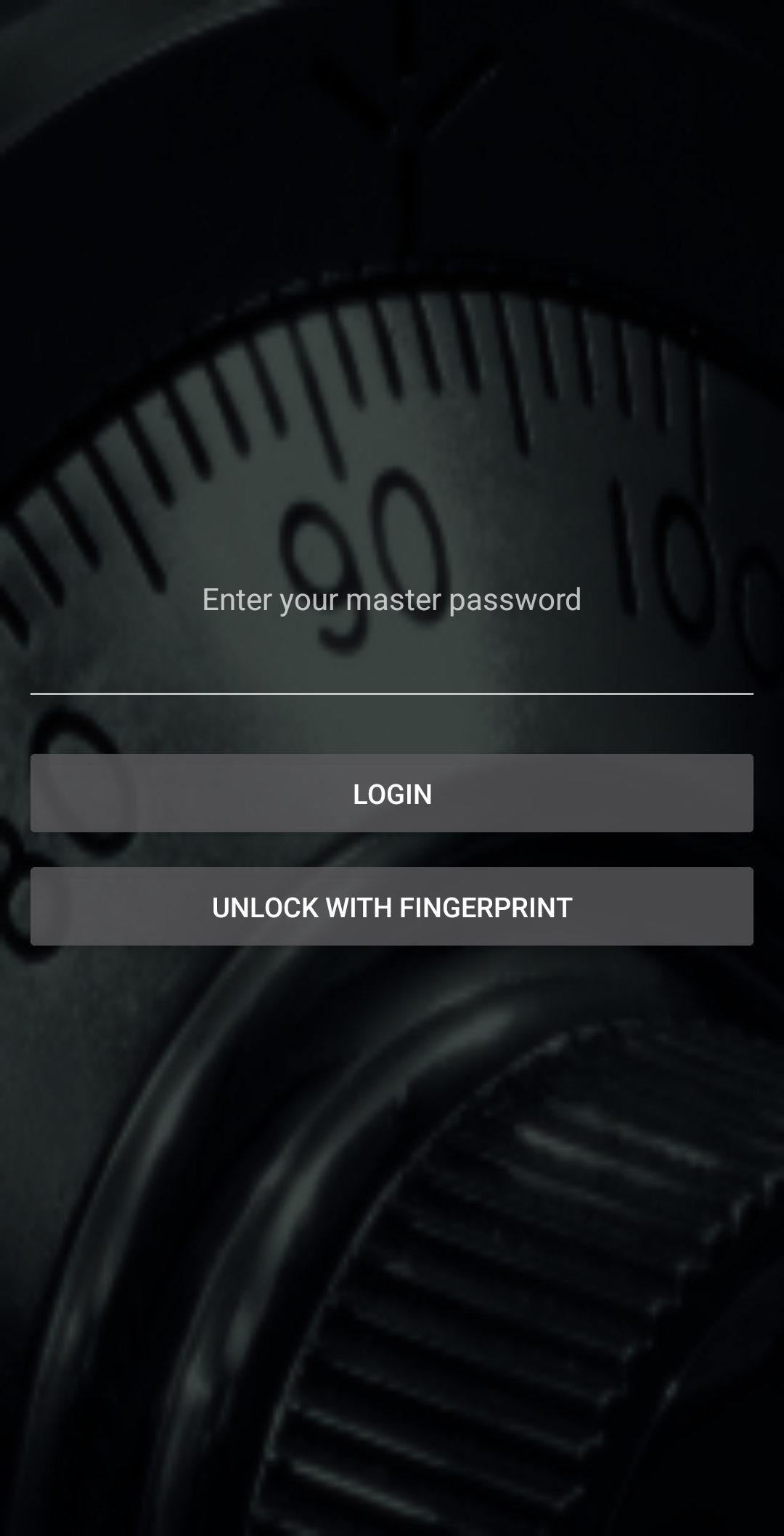
- Fingerprint unlock on Android 9 and later.
- Encrypted exports for backups and for moving to another phone.
Screenshots
 |
 |
 |
 |
 |
 |
Features
Entries
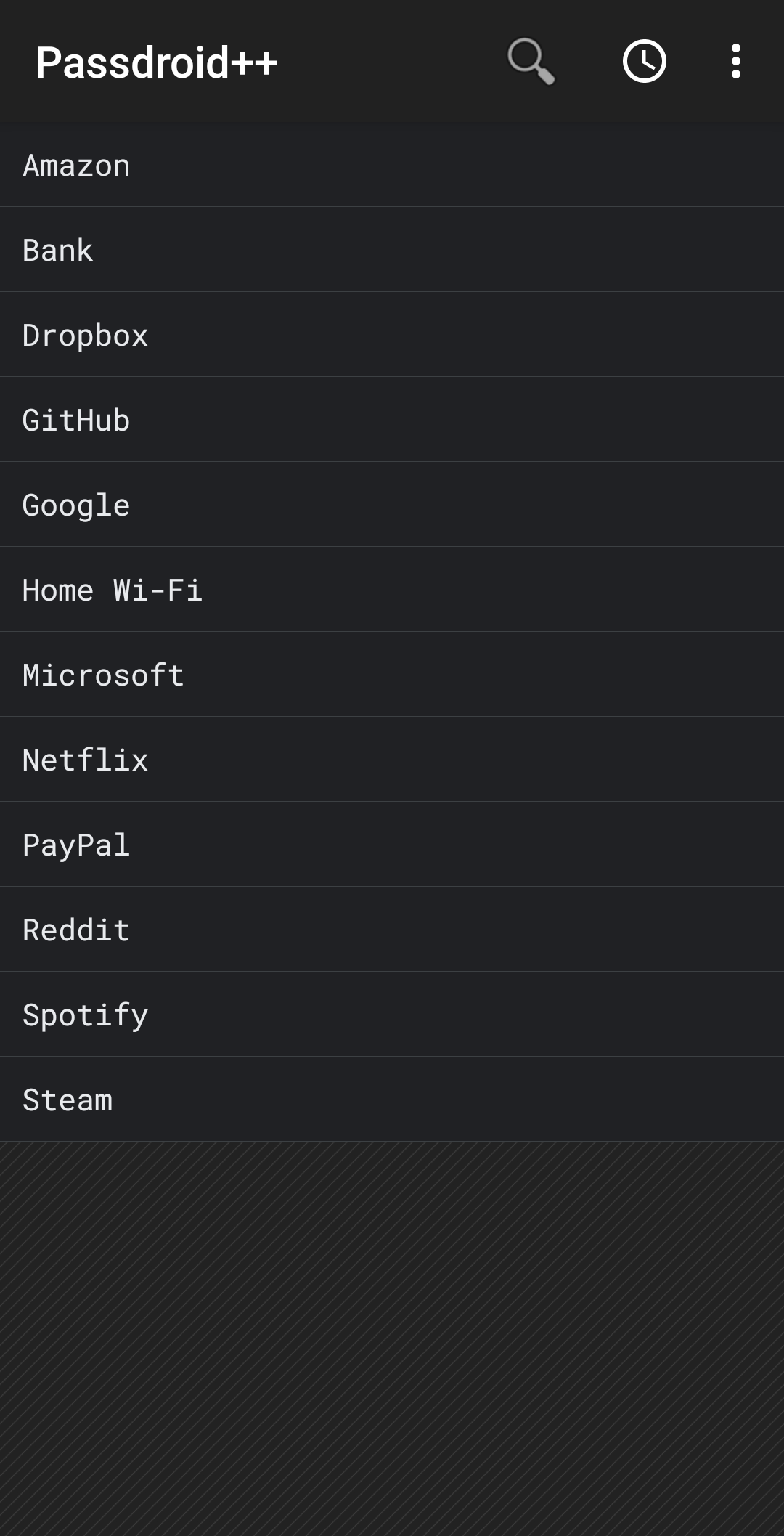
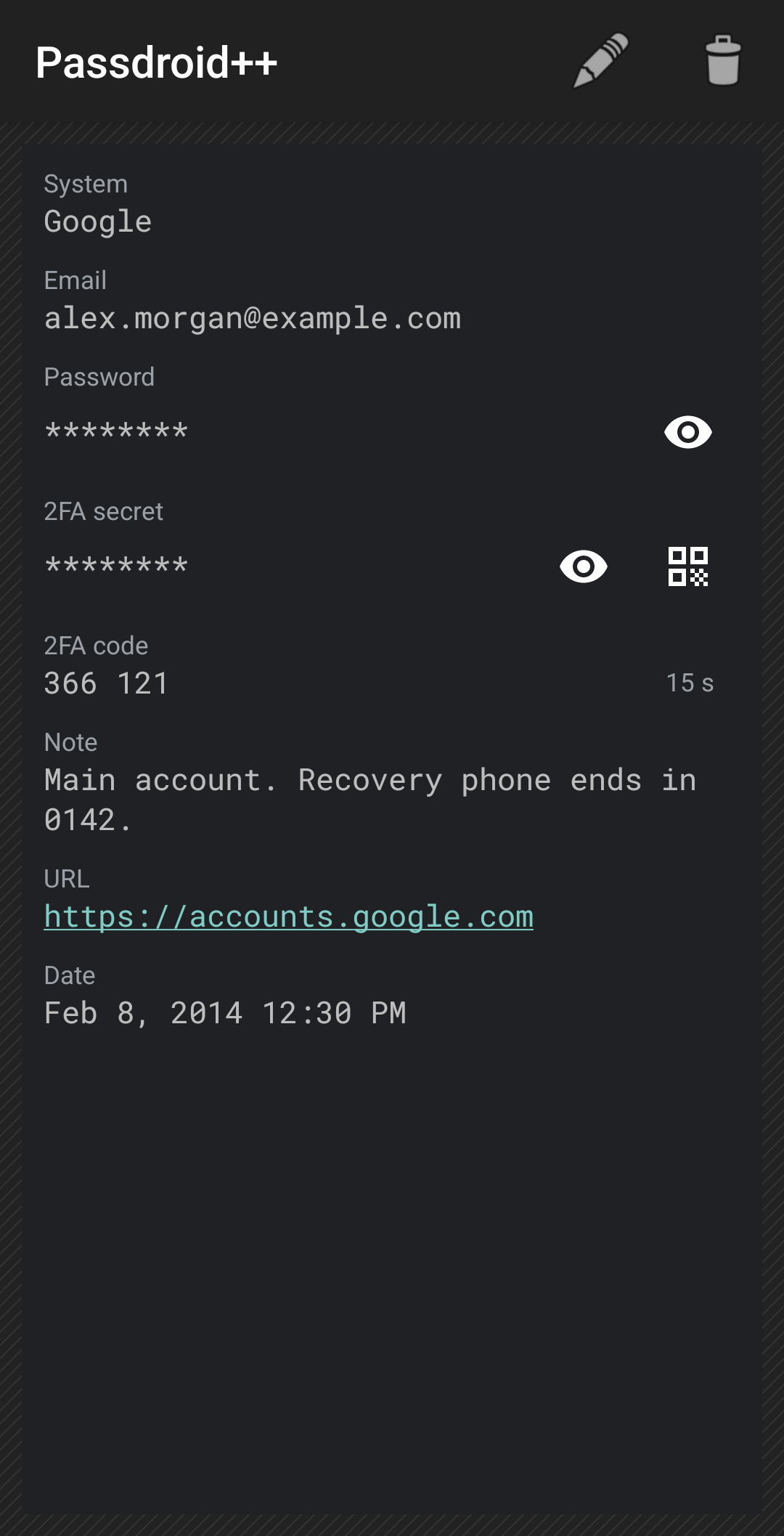
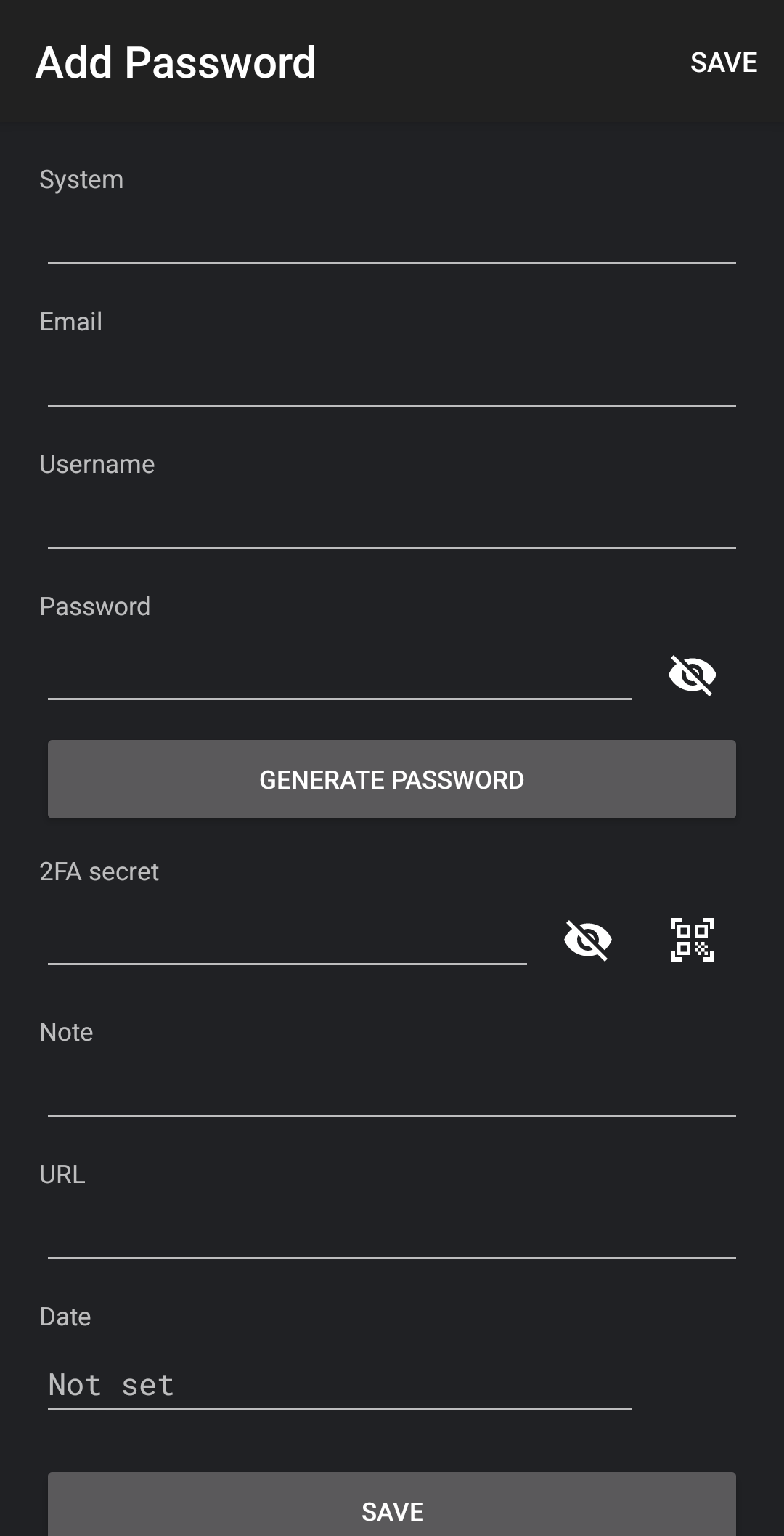
Each entry has a system (the name of the service, required), email, username, password, 2FA secret, note, URL and date. Every field is encrypted.
- The list is sorted by system and shows the username, or the email if there is no username, unless “Display username” is off. Search matches the system, username and email.
- A long press on an entry in the list asks whether to copy its password.
- On the entry screen a tap on the system, email, username or note copies it. The password and the 2FA secret are hidden behind an eye button and ask before they are copied. The URL opens in the browser.
- The date is set to the time the entry is added, e.g. to record when an account was created, and can be changed or cleared.
Master password and encryption
- The master password is turned into the encryption key with PBKDF2-HMAC-SHA256 and 600,000 iterations, which makes every guess slow for someone who has a copy of the data. Each field is encrypted with AES-256.
- A new master password needs at least 12 characters. The setup and change screens show how many are still missing. If an existing master password is shorter, a reminder with a “Change” button appears after each login with it.
- The master password can be changed in Settings. If it is forgotten, the data can’t be recovered.
Fingerprint unlock
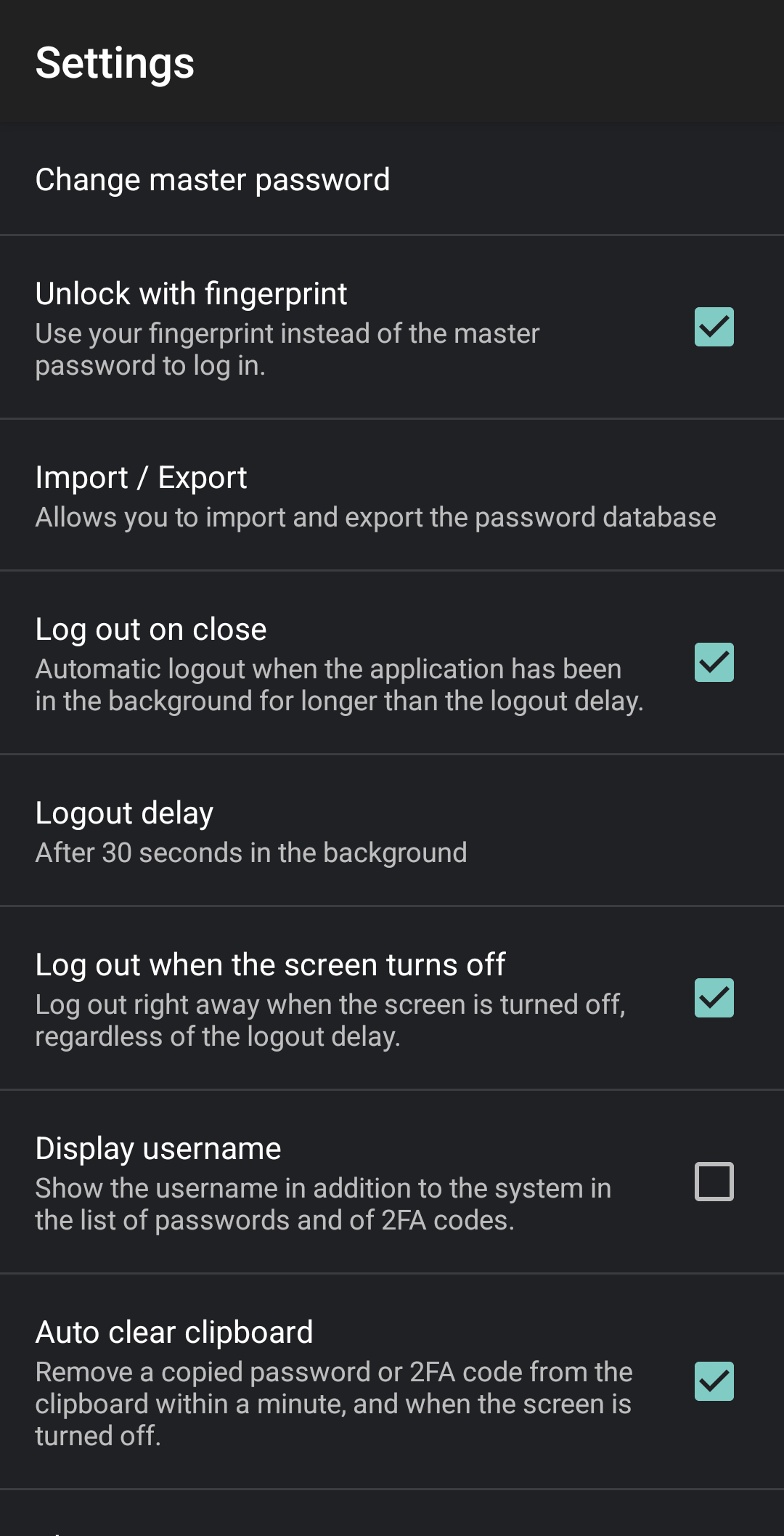
On Android 9 and later you can log in with a fingerprint, or another strong biometric, instead of the master password. It is off by default and is turned on in Settings.
- The key is protected by the Android Keystore and can only be used right after the biometric check.
- The master password always works as well.
- Fingerprint unlock turns itself off when fingerprints are added to the phone and when the master password is changed. Turn it on again afterwards.
Automatic logout
- After Passdroid++ has been in the background for 5 seconds. You can choose 5 or 30 seconds, 1 or 5 minutes, or turn “Log out on close” off.
- When the screen turns off (a setting, on by default).
- While the system file picker or image picker is open for Passdroid++, you get at least 2 minutes.
- Logging out forgets the key and everything that was decrypted.
Clipboard
- Copied passwords and 2FA codes are marked as sensitive, so Android 13 and later don’t show them in the clipboard preview.
- With “Auto clear clipboard” (on by default) they are removed after about 45 seconds, at the latest within a minute, and when the screen turns off.
- Where Android lets Passdroid++ read the clipboard, which since Android 10 is only while it is open, something you copied in another app in the meantime is left alone.
2FA codes
- Store a 2FA secret in an entry: the key a service shows for manual setup,
or an
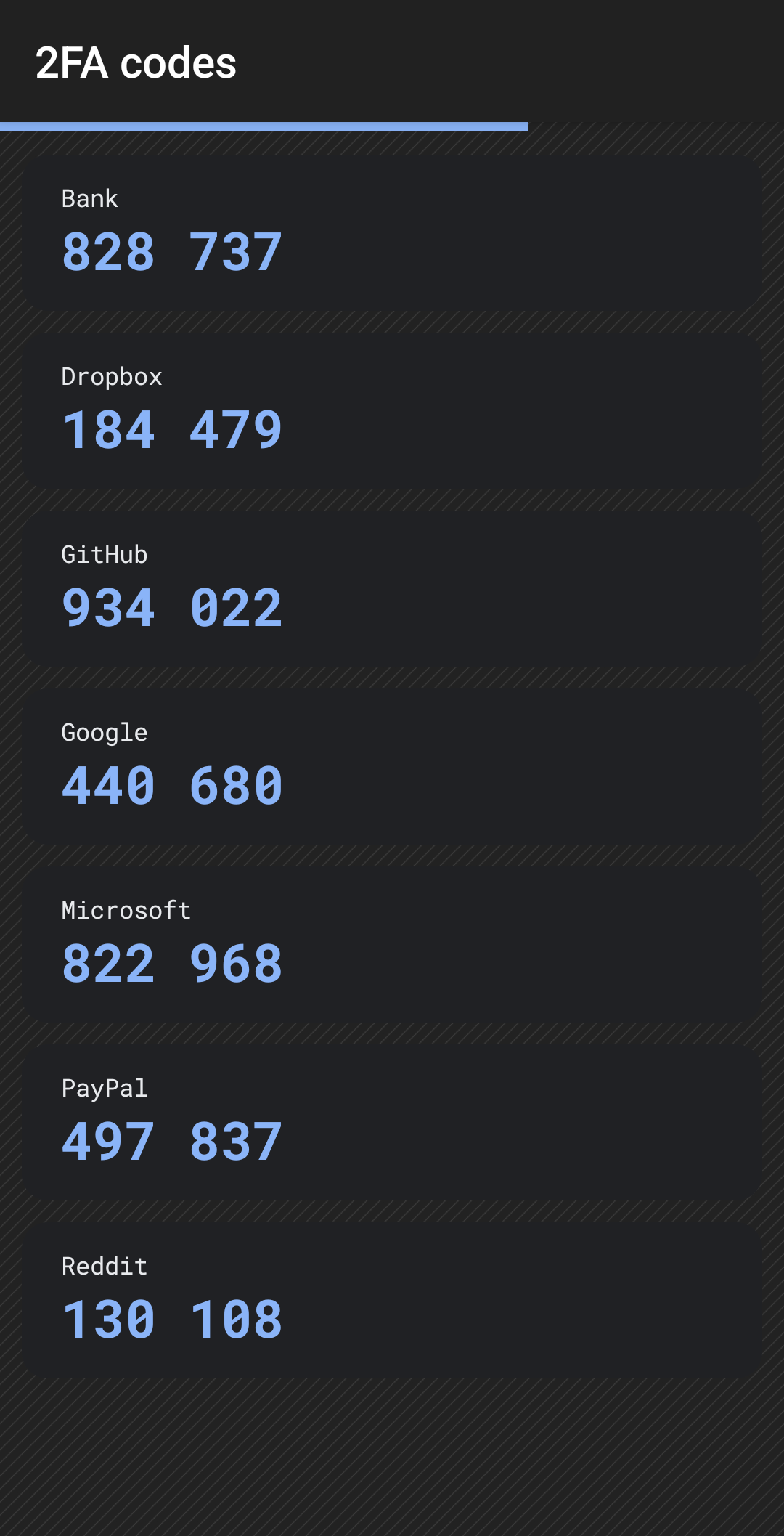
otpauth://totp/link. The entry shows the current code and how long it is valid. A tap copies it. - The 2FA codes screen (the clock icon in the list) shows the codes of all entries, with a bar that shows how long they are valid. A tap copies a code, a long press opens the entry. Like the list, it shows the username or email next to the system unless “Display username” is off.
- Scan a setup QR code with the camera, or read it from an image such as a screenshot. Empty system, email and username fields are filled in from the QR code. The camera permission is asked for when the scanner is first opened.
- Show a 2FA secret as a QR code, to move it to a separate authenticator app.
- SHA-1, SHA-256 and SHA-512, 6 to 8 digits and any period are supported. Counter-based codes (HOTP) and the QR codes that authenticator apps export accounts with are not.
Password generator
- Open it from the list menu, or from the add and edit screens to fill in the password.
- Letters and digits, letters only, digits only, or letters, digits and symbols, up to 99 characters. The length and the characters are remembered. The default is 16 letters and digits.
- The strength is shown in bits, rated from “very weak” to “excellent”.
Import and export
- Export to a file you choose, encrypted (recommended) or unencrypted XML. An encrypted export needs the master password that was current when it was made, and a modified file is not imported.
- Exports include your settings, except fingerprint unlock.
- Import an encrypted file made with the current master password directly. For other encrypted files Passdroid++ asks for the master password they were made with. Exports of the original Passdroid can be imported.
- A file in a newer format, from a later version of Passdroid++, is refused until you update Passdroid++.
- Importing replaces all entries with those in the file, and applies the settings in the file.
- After importing an unencrypted file, Passdroid++ offers to delete it.
Appearance
- Light or dark theme, or follow the system setting.
- The values of the entries can use a monospace font (Roboto Mono), which makes characters like 0 and O or l and 1 easier to tell apart, in a small, normal or large size. Text follows the system font size.
Privacy
- No internet permission. The only permissions are the camera, for scanning QR codes, and biometrics, for fingerprint unlock.
- Android backup is off, so the database is not copied to the cloud. Encrypted exports are your backup, see Backups.
- Screenshots and the preview in the recent apps are blocked on the screens that show your data.
- On the screens where you type secrets, the keyboard is asked not to learn from what you type, and autofill services are kept out.
- On Android 14 and later, passwords and 2FA codes are hidden from accessibility services, except tools such as screen readers.
Installing
- Android 7.0 or later. Fingerprint unlock needs Android 9 or later. A camera is optional.
- Passdroid++ is not on Google Play. Download
passdroid-<version>.apkfrom the releases and open it on the phone. The first time, Android asks you to allow installing apps from the browser or the file manager. - Releases marked as pre-release are previews of the next version.
checksums.txtin each release has the SHA-256 checksum of the APK.- Obtainium can watch the releases and install updates.
- The application id is
com.jurakovic.passdroid, so Passdroid++ installs next to the original Passdroid and doesn’t share its data.
Moving from the original Passdroid
- In the original app, go to Settings → Import / Export → Export to file,
check “Encrypt the exported file” and export. It writes
passdroid_db.xmlto the phone’s storage. - In Passdroid++, set up a new master password of at least 12 characters. Then go to Settings → Import / Export → Import from file, pick the file, and enter the master password of the original app when you are asked for it.
- Check that all entries are there. Then delete the export file and uninstall the original app.
The original Passdroid derives its key from the master password in a very weak way: anyone with a copy of its database or of an export can try passwords extremely fast. Delete old copies wherever they are (cloud storage, email), and if one may have leaked, don’t reuse that master password. See INTERNALS.md.
Backups
Android backup is off, so make an encrypted export now and then and keep it somewhere safe, e.g. on your computer. An export opens with the master password that was current when it was made, so make a new one after changing the master password.
Changes from Passdroid 2.3
Passdroid 2.3, the last release of the original Passdroid, is the baseline of Passdroid++.
Security
- Key derivation: PBKDF2-HMAC-SHA256 with 600,000 iterations and a random salt. Passdroid 2.3 used a single HMAC-SHA256 with a fixed key and no salt, so a copied database or export could be attacked very fast. Its exports can still be imported, and are then stored with the new key derivation.
- Encrypted exports: AES-256-GCM, which also detects changes to the file. 2.3 used AES-CBC with a fixed IV and no authentication.
- Random values (IVs and salts) come from
SecureRandominstead ofjava.util.Random, which is not secure. - Master passwords need at least 12 characters. 2.3 accepted any, even an empty one.
- Every logout, also the automatic ones, wipes the key and the decrypted entries; 2.3 only did that for a logout from the menu. Passwords and 2FA secrets are only decrypted while they are shown or copied.
- Copied passwords are removed from the clipboard after 45 seconds and are hidden in the clipboard preview. 2.3 only cleared the clipboard when the screen turned off.
- Android backup is off, the keyboard and autofill are kept out of what you type, and passwords are hidden from accessibility services.
- Imports read at most 10 MB and reject XML that could expand to huge amounts of text.
- Uses the standard crypto provider instead of Android’s deprecated BouncyCastle one. The encryption is the same.
- Generated passwords are 16 characters long by default instead of 10.
New features
- Fingerprint unlock.
- Email, 2FA secret and date fields.
- 2FA codes on the entry and on their own screen, scanning of setup QR codes, and showing a secret as a QR code.
- Search also matches the username and the email, not only the system.
- Dark theme and a theme setting, a monospace font option and a font size setting.
- Copy values with a tap, and an eye button for the password and the 2FA secret.
- Settings for the logout delay and for logging out when the screen turns off.
- Strength rating in the password generator.
- Settings are included in exports.
Bugs fixed from 2.3
- A value containing
]]>made the export impossible to import. - Control characters in a value, e.g. from pasted text, made the export impossible to import.
- With a search active, a long press copied the password of another entry.
- “Log out on close” was ignored: the app always logged out after 5 seconds.
- Editing an entry could save it without a system name.
- An encrypted file that couldn’t be imported for another reason, e.g. a newer file format, was reported as a wrong password.
Updated for current Android
- Targets Android 17 (API 37) and builds with current Android tools. Android 7.0 is still the minimum.
- Import and export go through the system file picker, without the storage permission, which newer Android versions no longer grant.
- No more crashes with the alarm and broadcast rules of Android 12 and 14. The back gesture and the edge-to-edge screens of newer Android versions are handled.
- The logout also works with the delayed broadcasts of Android 14, and a screen that Android restores after closing the app in the background doesn’t show anything without a login.
- Material themes, so the app looks the same on all devices.
- A new application id, so it installs next to the original.
- Unit tests, a GitHub workflow that checks every change, and one that publishes signed releases.
Documentation
INTERNALS.md: building Passdroid++ from source, how it works, the database and file formats, the security design with its threat model, trade-offs and open items, and releasing.
License
Passdroid++ is free software under the GNU General Public License, version 3 or later, see LICENSE.TXT. Copyright (C) 2009-2019 Magnus Eriksson, and the contributors of Passdroid.
It includes the Roboto Mono font (SIL Open Font License 1.1, see
app/src/main/assets/fonts/RobotoMono-OFL.txt) and uses ZXing and CameraX
(Apache License 2.0). The application icon is by VisualPharm.